

How to Use Claude AI for Bookkeeping (Without Making Costly Accounting Mistakes)

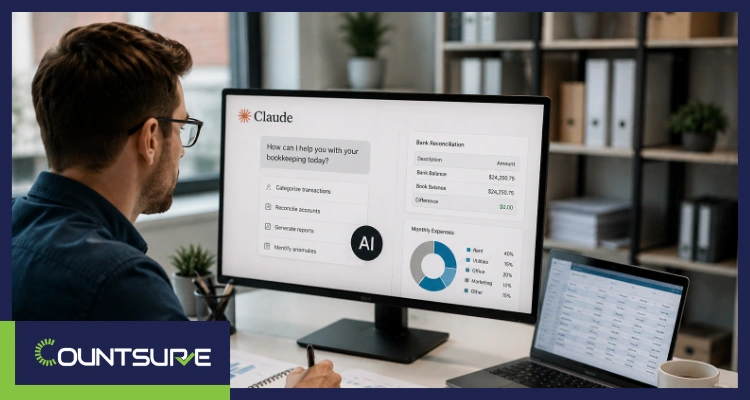
Bookkeepers, CPAs, and small business owners are quietly running a new experiment in 2026: handing over pieces of the month-end close to Claude AI. Used well, it categorizes transactions in seconds, drafts reconciliation notes, and turns messy receipts into clean data. Used badly, it hallucinates a $47,000 vendor invoice, misclassifies revenue, and breaks the audit trail three months before you notice.
This guide walks you through exactly how to use Claude AI for bookkeeping without making the mistakes that trigger IRS penalties, failed audits, or restated financials. At Countsure, we work with US CPA firms and growing businesses that use AI as an assistant to their bookkeepers, never as a replacement. Everything below reflects what actually works in a real accounting workflow.
Key Takeaways
- Claude AI is a bookkeeping assistant, not a bookkeeper. It accelerates categorization, extraction, and drafting, but every output still needs qualified human review before it hits the ledger.
- Hallucinations in accounting are expensive. Claude can produce confident, wrong journal entries, so verifying against source documents is non-negotiable.
- The safest workflow is AI drafts; human approves. Let Claude prepare, then let a bookkeeper or CPA finalize entries before posting.
- Claude does not connect to QuickBooks or Xero by default. You must upload data manually and treat every prompt as data leaving your controlled system.
- Never paste client PII, SSNs, EINs, or bank credentials into any AI tool without confirming your firm’s data protection policy.
- Structured prompts drive structured outputs. Give Claude the chart of accounts, categorization rules, and sample entries, or it will guess.
- AI is strongest on repetitive, rules-based tasks and weakest on judgment calls like revenue recognition, capitalization, or tax treatment.
- Human review is not optional in AI bookkeeping. It is the difference between clean books and a year of restatements.
What Is Claude AI, and Why Are Bookkeepers Using It?
Claude AI is a large language model built by Anthropic that reads and writes text with high accuracy. For bookkeepers, that means it can read a receipt, understand a chart of accounts, or draft a reconciliation memo in seconds.
The reason it is spreading through accounting teams in 2026 is simple: routine bookkeeping is time-heavy but pattern-based. Claude handles patterns well. Firms use it to compress hours of categorization and drafting into minutes, freeing bookkeepers to focus on judgment work like review, advisory, and client conversations.
The catch is that Claude does not know your books. It does not know that a $2,400 charge to “Vendor X” is really a prepaid insurance entry that needs to be amortized over 12 months. That context has to come from you, every single time.
Where Claude AI Actually Helps in Bookkeeping
These are the tasks where Claude adds real, measurable value to a bookkeeping workflow.
Transaction Categorization
Paste a bank statement or export a CSV of transactions, share your chart of accounts, and Claude will suggest a category for each line. It is fast, and with well-written rules, accuracy runs well above 90% on repetitive vendor transactions.
Receipt and Invoice Data Extraction
Upload a scanned invoice and ask Claude to pull vendor, date, amount, tax, and line items into a structured table. This is where AI-powered bookkeeping saves the most time for e-commerce sellers and service businesses drowning in receipts.
Bank Reconciliation Drafts
Feed Claude your bank feed and your ledger export. Ask it to flag unmatched items, likely duplicates, and timing differences. It will not finish the reconciliation, but it will get you 70% of the way there.
Financial Report Summaries
Drop in a trial balance or P&L and ask Claude to explain material variances against last month. It writes clean, plain-English summaries that clients actually read.
Client Emails and Follow-Ups
Missing receipts, unclear expense purposes, uncategorized transfers. Claude drafts polite, specific follow-up emails to clients in seconds.
Chart of Accounts Cleanup
Ask Claude to identify duplicate accounts, suggest consolidations, and flag rarely used categories in your COA. Useful before year-end.
Ready to Modernize Your Close Process?
Talk to our team about outsourced bookkeeping workflows that combine AI-assisted drafting with rigorous human review, so your books stay clean and audit-ready.
Talk to Our Experts at CountsureWhere Claude AI Gets It Wrong (and Why It Matters)
This is the section most AI bookkeeping guides skip. It is also the one that saves you the most money.
It Hallucinates Numbers and Vendors
Claude can confidently produce a journal entry for a transaction that does not exist, especially when a prompt is vague or a scanned document is unclear. If you post that entry unchecked, your ledger is now wrong, and the error compounds.
It Misses Accounting Judgment
Claude does not know whether a subscription is prepaid or expensed, whether a $5,000 laptop is capitalized or written off, or whether revenue should be recognized on delivery or over time. These decisions require professional judgment tied to US GAAP, ASC 606, and IRS treatment. See our beginner’s guide to US GAAP for the framework that governs those calls.
It Loses the Audit Trail
If a bookkeeper approves an AI-drafted entry without logging the review, you have a control gap. In an audit, “the AI suggested it” is not an answer.
It Cannot Reconcile Silent Errors
Claude may match totals correctly but categorize a subset of transactions incorrectly. The reconciliation still balances; the classification is still wrong, and the error surfaces only during year-end review or an IRS notice.
It Is Not Aware of Your Compliance Environment
Claude does not know your firm follows SOC 2 controls, HIPAA rules, or client-specific data handling agreements. Sharing sensitive data without a policy is a real risk.
How to Use Claude AI for Bookkeeping Safely (Step by Step)
Here is the workflow we recommend, in the order we actually execute it.
Step 1: Define scope narrowly. Only use Claude for tasks with a checkable output. Categorization, extraction, and drafting are safe. Tax treatment and revenue recognition are not.
Step 2: Strip sensitive data first. Remove SSNs, EINs, full account numbers, and client identifiers before pasting anything. Redact or mask. If your firm has a data policy, follow it before you open the chat window.
Step 3: Give Claude the rules. Share the chart of accounts, sample entries, categorization logic, and any client-specific quirks. The more context you give upfront, the fewer errors you will fix later.
Step 4: Ask for a draft, not a final. Prompt Claude to prepare a draft with a confidence flag or reason for each entry. This makes review faster and forces the model to expose its logic.
Step 5: Verify every entry against source documents. Cross-check unusual amounts, new vendors, and anything above a materiality threshold you set in advance.
Step 6: Log the review. Note who reviewed, when, and what changed. This is your audit trail.
Step 7: Never post directly from Claude to the ledger. A human bookkeeper or accountant posts. Always.
Prefer to Skip the DIY Setup?
Our outsourced bookkeeping services run this exact review-first workflow for US businesses and CPA firms, so you get the speed of AI with the accuracy of a trained professional.
Explore Our Outsourced Accounting ServicesClaude AI vs Traditional Bookkeeping Software: What Each Actually Does
Claude does not replace QuickBooks or Xero. It sits alongside them.
| Capability | Claude AI | QuickBooks / Xero |
| Connects to bank feeds | No | Yes |
| Posts entries to the ledger | No | Yes |
| Categorizes transactions from context | Yes, with rules | Yes, with historical rules |
| Extracts data from a photographed receipt | Yes, high accuracy | Partial, add-on required |
| Explains a variance in plain English | Yes | No |
| Drafts client emails | Yes | No |
| Runs a full reconciliation with audit trail | No | Yes |
| Understands US GAAP and ASC 606 nuance | Limited | Rules follow user setup |
| Stores your books | No | Yes |
| Suitable for final posting | No | Yes |
The right setup in 2026 is Claude as the assistant, QuickBooks or Xero as the system of record, and a human bookkeeper as the reviewer. If you are comparing the underlying platforms, our QuickBooks vs Xero comparison for US SMBs lays out which one fits which business.
Best AI Prompts for Bookkeeping Tasks
Structured prompts are the single biggest driver of accuracy. Weak prompts produce weak output. Try these formats.
For transaction categorization: “You are a bookkeeping assistant. Use only the chart of accounts I share below. For each transaction, return: date, vendor, amount, suggested account, confidence (High/Medium/Low), and one-line reason. If confidence is Low, flag for human review. Do not invent accounts.”
For receipt extraction: “Extract vendor name, invoice number, invoice date, subtotal, tax, total, and line items from the attached document. If any field is unclear, return ‘unclear’ rather than guessing.”
For reconciliation drafts: “Here is a bank statement and a ledger export. Match transactions where amount and date align within 3 days. List unmatched items in two tables: bank-only and ledger-only. Do not adjust or suggest journal entries.”
For a month-end summary: “Summarize the attached P&L against last month. Explain any account with a variance over 15% or over $2,000, in plain English, without financial jargon. Do not speculate on causes you cannot verify from the data.”
Going beyond one-off prompts: building reusable skills for your accounting stack
One-off prompts work. Reusable skills work better. You can train Claude by developing dedicated skill sets for QuickBooks, Xero, or your custom accounting software, each one a structured prompt template that carries your firm’s rules, terminology, and workflow logic every time it is used. A cleanup skill handles account tidying and duplicate flagging. A reconciliation skill carries the matching logic, tolerance thresholds, and exception-handling rules. A reporting skill knows your preferred variance format, client-facing language, and materiality thresholds.
Once built, these skills remove the setup overhead from every close cycle. Your team is not re-explaining the chart of accounts each month. The context is already there, and accuracy improves with every refinement you make to the skill over time.
Building an Internal AI-Assisted Close?
Our outsourced accounting team has already codified prompt libraries, review checklists, and QA controls that plug into your existing software stack, so you can adopt AI without rebuilding your process.
Talk to Our Experts at CountsureWhat Claude AI Should and Should Not Do in Bookkeeping
Use this as a quick decision filter.
| Task | Claude AI Recommended? | Why |
| Categorize routine vendor transactions | Yes | High-pattern, checkable output |
| Extract data from receipts and invoices | Yes | Reduces manual entry hours |
| Draft client follow-up emails | Yes | Time-saver, low risk |
| Summarize variances in P&L or balance sheet | Yes | Improves reporting clarity |
| Suggest cleanup for a bloated chart of accounts | Yes, with review | Human decides final structure |
| Post journal entries directly to the ledger | No | Removes audit trail |
| Decide revenue recognition timing under ASC 606 | No | Requires professional judgment |
| Determine capitalization vs expensing thresholds | No | Requires accounting policy |
| Handle payroll tax calculations | No | High compliance risk |
| Interpret IRS notices and respond | No | Requires a licensed professional |
| Sign off on year-end financials | No | Requires CPA responsibility |
| Advise on sales tax nexus | No | State-specific legal analysis |
The pattern is consistent. Claude is safe on execution tasks with a checkable output. It is unsafe on judgment tasks that carry professional or legal responsibility.
Human Review Is the Whole Point
The failure mode we see most often in AI bookkeeping is not bad AI. It is missing review.
Firms adopt Claude, save 30% of their bookkeeping time in the first month, and then quietly relax the review step because everything looks fine. Six months later, a $12,000 expense sits in the wrong category, the trial balance is off by an unrelated amount, and no one knows when the drift started.
The teams that use AI well treat human review as the product, not the overhead. AI drafts the work. A qualified bookkeeper or accountant reviews it, catches the outliers, and posts. The savings come from speed on the drafts, not from skipping the review.
Need a Trusted AI-Assisted Accounting Partner?
If you are running a CPA firm or an internal finance team and want a partner who already operates this workflow, our offshore CPA services combine trained accountants with AI-assisted tooling, helping you close your books faster without sacrificing the review layer that protects accuracy.
Talk to Our Experts at CountsureBringing It All Together
Claude AI for bookkeeping in 2026 is not a shortcut. It is a force multiplier for teams that already have discipline, defined processes, and qualified reviewers. Use it for categorization, extraction, drafting, and summarization. Keep it out of judgment work, tax treatment, and final posting. And treat every output as a first draft, not a final answer.
At Countsure, we build AI-assisted workflows into outsourced accounting, bookkeeping, tax, payroll, and CFO services for US CPA firms and growing businesses. Our team combines trained accountants, secure data-handling controls, and modern automation, so your books stay clean, compliant, and ready for review at any time. If you want a partner who treats AI the way it should be treated, as an assistant behind a qualified human, get in touch with our team to talk through a workflow that fits your firm.
FAQs
1. Can Claude AI replace a bookkeeper?
No. Claude AI accelerates bookkeeping tasks like categorization and data extraction, but it cannot exercise professional judgment, sign off on financials, or take responsibility for accuracy. A qualified bookkeeper or CPA is still required for review and posting.
2. Is it safe to share financial data with Claude AI?
Only with proper safeguards. Strip out SSNs, EINs, full bank account numbers, and client PII before pasting anything, and confirm your firm’s data protection policy first. For sensitive engagements, use enterprise-grade AI tools with data controls.
3. How accurate is Claude AI at categorizing transactions?
For repetitive vendor transactions with clear rules and a shared chart of accounts, accuracy typically runs above 90%. Unusual or ambiguous transactions still need human review, which is why the AI-drafts, human-approves workflow is the standard.
4. Does Claude AI integrate directly with QuickBooks or Xero?
Not by default. You upload or paste data manually. QuickBooks and Xero remain your system of record; Claude is used alongside them for drafting and analysis, not for posting.
5. What are the biggest risks of using AI for bookkeeping?
Hallucinations, silent categorization errors, loss of audit trail, and compliance issues from sharing sensitive data. All of these are avoidable with defined scope, structured prompts, and mandatory human review.
6. Can Claude AI handle tax preparation?
No. Tax preparation involves professional responsibility, regulatory interpretation, and jurisdiction-specific rules that require a licensed preparer or CPA. Claude can help summarize documents or draft correspondence but not file returns.
7. What is the best workflow for using Claude AI in bookkeeping?
Define scope narrowly, strip sensitive data, share the chart of accounts and rules, ask for drafts with confidence flags, verify every entry against source documents, log the review, and let a human bookkeeper post the final entries.
8. Should small businesses use Claude AI directly or work with a bookkeeping firm that already uses it?
For most small businesses, working with a firm that has already built AI-assisted workflows is faster, safer, and cheaper than DIY. You get the speed of AI with the accuracy of trained accountants and defined review controls.
Read More:

Parth Shah, Managing Director
(CPA-US, FCA, RV-S&FA, DISA)
Parth Shah who is head of Accounts and Book keeping has experience of more than 10 years. A Certified Public Accountant – US, fellow Chartered Accountant, Registered Valuer and Diploma in Information System Audit.