

How to Use ChatGPT AI for Accounting: Financial Analysis, Reporting & Review
 Parth ShahPublished:2 days ago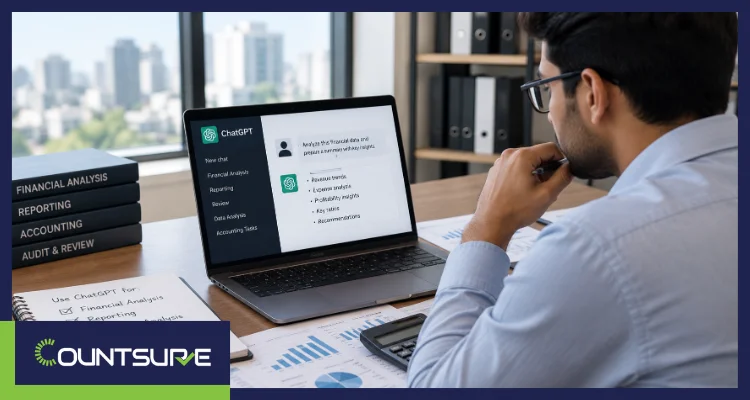
You can use ChatGPT for accounting, but only for the right jobs. It is strong at drafting variance commentary, cleaning spreadsheet exports, explaining trends, and finding gaps in your work. It is not a bookkeeper, a tax preparer, or a reviewer who can sign off on your numbers.
That distinction matters more in 2026. On June 24, 2026, the IRS Office of Professional Responsibility issued its first formal AI guidance and confirmed that practitioners remain responsible for AI-assisted work. This guide shows finance teams, business owners, and CPA firms how to use ChatGPT for financial analysis, reporting, and review without creating errors or confidentiality problems.
At Countsure, we work with US businesses and CPA firms that use AI as a first-draft engine behind qualified accountants. Here is the practical playbook.
Key Takeaways
- Best use: ChatGPT works best as a first-draft assistant for analysis, commentary, and spreadsheet cleanup, not as your system of record.
- Financial analysis: Upload a clean CSV or Excel file, ask for one specific task such as variance drivers, and require ChatGPT to show its calculations.
- Reporting: ChatGPT can turn reconciled numbers into plain-English commentary, but a person must confirm every figure and every GAAP statement.
- Review: Use ChatGPT as a first-pass reviewer that finds gaps, and keep a qualified human as the final approver.
- Accuracy: ChatGPT can state wrong numbers and invented citations with confidence, so verify facts, calculations, and sources before use.
- Client data: The IRS says practitioners must handle client data only with secure, enterprise-approved AI tools.
- Privacy plans: OpenAI says ChatGPT Business and Enterprise data is not used for training by default, while personal plans may share data unless you opt out.
- Accountability: Under Circular 230, the practitioner owns the result, not the tool.
Can ChatGPT Actually Do Accounting?
ChatGPT can assist with accounting work, but it cannot do accounting on its own. It does not connect to your bank feeds, post entries to a ledger, or take responsibility for your numbers. Your accounting system stays the system of record, and a qualified person stays accountable.
What it does well is language and pattern work. It can read an export, explain what changed, draft commentary, write Excel formulas, and flag items that look odd. When you upload a spreadsheet, ChatGPT can write and run Python code to analyze it, and you can review that code before relying on the result.
What it lacks is context. It does not know that a $2,400 charge is really prepaid insurance, or that a client changed its revenue policy last quarter. You supply that context, or the answer becomes a confident guess.
So the useful question is not “Can ChatGPT replace my accountant?” Ask instead: “Which steps in my workflow produce output I can check quickly?” Those steps are where ChatGPT saves real time.
Want AI Speed Without AI Risk in Your Books?
Talk to our team at Countsure and map which parts of your close can use AI drafting and which need a qualified reviewer.
Where Does ChatGPT Help Most, and Where Does It Fall Short?
ChatGPT helps most on tasks with checkable output, such as drafting commentary and cleaning data. It falls short on tasks that need professional judgment, source evidence, or legal responsibility.
| Accounting task | ChatGPT fit | What a human must still do |
|---|---|---|
| Variance commentary and executive summaries | Strong | Confirm every figure and driver against the ledger |
| Spreadsheet cleanup and formatting | Strong | Check totals before and after cleanup |
| Excel formulas, SQL, and scripts | Strong | Test on sample data before use |
| Reconciliation checklists and close calendars | Strong | Adapt them to your policies and systems |
| Transaction categorization suggestions | Moderate | Approve against source documents |
| Anomaly spotting in exports | Moderate | Investigate each flag, since misses and false alarms both occur |
| Tax research starting points | Moderate | Verify against IRS and state sources |
| Accounting policy memos | Moderate | Apply the standard and document the conclusion |
| Revenue recognition or capitalization conclusions | Weak | Professional judgment under US GAAP |
| Tax return preparation and filing positions | Weak | Licensed preparer review and signature |
| Posting entries or final sign-off | Not suitable | An accountant posts and approves |
The pattern is simple. ChatGPT is strongest where a reviewer can verify output in minutes. It is weakest where a wrong answer hides until year-end. Misclassification, for example, is already one of the common bookkeeping mistakes small businesses make, and AI can repeat the same mistake across hundreds of lines at once.
Judgment calls under US GAAP, like when to recognize revenue or whether to capitalize a cost, depend on facts and documents ChatGPT cannot see. Treat any technical conclusion it offers as a lead to research, not an entry to book.
How Do You Use ChatGPT for Financial Analysis?
Upload a clean spreadsheet, ask one specific question, and require ChatGPT to show its work. OpenAI’s own finance guidance makes the same point: give the tool a specific task, such as finding variance drivers or checking for anomalies, instead of a broad question with no data.
Step 1: Prepare the file
Bad inputs still produce bad outputs. Before you upload anything:
- Use reconciled numbers, ideally a trial balance or P&L export from your accounting system.
- Keep clear column headers and one record per row.
- Remove Social Security numbers, EINs, bank account numbers, and customer names you do not need.
- Work from a copy, never your only version.
- Label the period, the entity, and the basis (cash or accrual).
Step 2: Ask for a variance analysis
Vague prompts get vague answers. Try a structure like this:
Prompt: I am uploading monthly P&L data for the current month, the prior month, and budget. Using only the data in this file, calculate dollar and percent variances by account. List the five largest variances. For each, say whether it looks like timing, volume, price, or a one-time item, and mark anything you cannot determine from the data. Show your calculations. Do not invent causes.
The last two sentences matter. They stop the model from filling gaps with plausible stories.
Step 3: Look for margin shifts and anomalies
Example (hypothetical): A services company grows monthly revenue from $400,000 to $424,000, up 6%. Cost of revenue rises from $104,000 to $118,560, up 14%. Gross margin slips from 74.0% to 72.0% even though revenue grew.
ChatGPT can surface that pattern in seconds and suggest what to check next, such as contractor hours, vendor price changes, or discounting. It cannot tell you which cause is true. Someone who knows the business has to confirm it.
You can also ask it to flag credit balances in asset accounts, duplicate invoice numbers, round-dollar entries, or accounts that moved far outside their normal range. Treat each flag as a question to investigate, not a finding.
Step 4: Pressure-test forecasts and cash flow
ChatGPT can turn your assumptions into downside, base, and upside scenarios and list early-warning indicators to track. The assumptions stay yours. This matters in tax practice too, because the IRS bulletin says practitioners cannot rely on AI-generated projections, and forecasts, inputs, and formulas need to be confirmed.
Which analysis tasks are worth trying first?
Start with tasks where you already know roughly what a good answer looks like. That makes mistakes easy to spot while you build trust in the workflow.
- Expense trend review: Ask which categories grew faster than revenue over the last six months.
- Customer concentration: Ask what share of revenue comes from the top five customers.
- Cash conversion: Ask for days sales outstanding by month and what changed.
- Budget gaps: Ask which departments are over plan and by how much.
Once you trust the process on these, move to heavier work such as scenario planning. Each new use case should pass the same verification routine before anyone relies on it.
How do you verify the analysis?
- Open the analysis details and read what the code actually did.
- Recompute at least three figures in Excel yourself, including the largest variance.
- Tie totals back to the trial balance.
- Ask ChatGPT to list every assumption it made, then challenge each one.
- Save the prompt, the file version, and your review notes with the workpaper.
That last habit builds the audit trail that a chat history alone does not provide.
Want Analysis Built on Books You Can Trust?
Talk to our team at Countsure and get month-end analysis that starts from reconciled financial statements, not raw exports.
How Can ChatGPT Help with Financial Reporting?
ChatGPT helps most with the words around the numbers. It can draft management commentary, summarize results for non-finance readers, prepare board Q&A, write KPI definitions, and outline accounting memos. OpenAI’s finance guide lists these same reporting and variance use cases. The numbers themselves should come from your accounting system, never from the model.
A safe reporting workflow looks like this:
- Close and reconcile the period in your system of record. If you are still choosing one, our comparison of QuickBooks and Xero for US small businesses explains the tradeoffs.
- Export the statements and supporting schedules.
- Ask ChatGPT to draft commentary from that export only.
- Compare every number in the draft to the source statements.
- Have a reviewer approve the final version.
Prompt: Using the attached income statement and balance sheet, write an executive summary in five bullets: results, key drivers, risks, decisions needed, and next steps. Use only figures from the files and quote each figure exactly. Flag anything that needs more data before I can state it.
Do not ask ChatGPT to build financial statements from raw transactions. Your accounting platform does that with a ledger and an audit trail. Use ChatGPT to explain the statements, and follow the best practices for consistent and transparent financial reporting so your commentary matches the same definitions every month.
Excel-based AI agents are changing this workflow. A recent Journal of Accountancy walkthrough built an agent in ChatGPT for Excel and cleaned, validated, and reconciled a simulated general ledger of 59,157 rows to the trial balance in about 10 minutes. The authors also stressed guardrails: keep the raw data, approve the plan before changes run, log every modification, and use enterprise-level licenses for audit work.
If you draft notes or policy language, check them against current standards. ChatGPT may mix up standards or describe an outdated version, and a polished paragraph can hide that problem.
How Should You Use ChatGPT to Review Accounting Work?
Use ChatGPT as a first-pass reviewer that finds gaps, never as the approver. It can read a schedule or memo and ask the questions a reviewer would ask.
Good review uses include:
- Reconciliation checks: Generate a tie-out checklist and a list of required support by account type.
- Flux review: Ask for questions to send account owners about unexplained swings.
- Memo QA: Paste a memo outline with identifiers removed and ask which facts, judgments, or documents are missing.
- Journal entry screening: Ask for entries with unusual timing, round amounts, or odd account pairings, ranked by risk.
- Policy consistency: Compare a draft note to your written policy and highlight mismatches.
Prompt: Review this journal entry listing as a skeptical reviewer. Flag duplicates, entries posted on weekends or after period end, unusual debit and credit pairings, and round-dollar amounts. Rank the flags by risk. Do not correct anything. For each flag, list the support I should request.
Human review is still the control. The AICPA’s new practice aid for financial statement auditors, released in October 2026, stresses supervision, review, and professional skepticism, and says the auditor remains responsible for the audit opinion. Tax work follows the same logic. A qualified reviewer should approve any AI-assisted return or schedule, the layer we describe in our guide to tax preparer vs. tax reviewer roles
Need Statements That Hold Up with Lenders and Auditors?
Talk to our team at Countsure and get reviewed, audit-ready support behind the reports you share outside your company.
Is It Safe to Put Client or Company Data into ChatGPT?
It depends on your role and your plan. Never paste identifiable client data, tax return information, or credentials into a personal ChatGPT account. Use an approved business or enterprise setup, and follow the rules that apply to your profession.
What does the IRS expect from tax practitioners using AI?
In OPR Alert 2026-19, the IRS tied AI use to existing duties instead of writing a new rulebook. The alert points to six areas of Circular 230 and tax law:
- Due diligence (Section 10.22): Review all AI output and verify facts, citations, and calculations before delivery.
- Fees (Section 10.27): Do not bill for time you did not spend, and credit efficiency gains to the client.
- Competence (Section 10.35): Understand the tool’s limits, including errors and bias.
- Firm procedures (Section 10.36): Leaders need training, secure data handling, accuracy monitoring, and vetting of third-party AI tools, all documented.
- Written advice (Section 10.37): Do not rely on AI-generated facts or projections without verification.
- Return information (IRC Sections 6713 and 7216): Handle client data only in secure, enterprise-approved AI.
Do Section 7216 and AICPA rules add anything?
Yes. Section 7216 is a criminal provision, and it covers tax return preparers who knowingly or recklessly disclose or use return information outside permitted purposes. Because disclosure is defined broadly, treat any upload of return information to an outside AI tool as a disclosure unless you have confirmed an exception or obtained valid consent.
The AICPA Code adds the Confidential Client Information Rule (Section 1.700.001). The Journal of Accountancy notes that some public generative AI tools use inputs to train future models, so sensitive data you enter could resurface.
The OPR alert mentions disclosing AI activities as needed in the context of billing, but it does not create a standalone client consent form. Ask counsel how Section 7216 consent applies to your specific workflow.
If you are a business owner analyzing your own books, these preparer rules apply differently. Your lender covenants, customer contracts, and confidentiality agreements may still limit what you can upload, so check them first.
Which ChatGPT plans protect your data?
OpenAI states that it does not use inputs or outputs from ChatGPT Business, ChatGPT Enterprise, or its API platform for model training by default. On personal Free, Plus, and Pro plans, data sharing is on by default, though you can switch it off in Data Controls. A no-training setting is only one layer. You still need access controls, retention settings, and a written policy.
| Data type | Personal ChatGPT account | Approved business or enterprise setup |
|---|---|---|
| General accounting questions and public templates | Acceptable | Acceptable |
| Anonymized sample data you created | Acceptable with training opt-out | Acceptable |
| Your own company’s internal books | Avoid | Acceptable after contract and policy review |
| Client-identifiable books (CPA firms) | Avoid | Only with firm approval, engagement terms, and confidentiality review |
| Tax return information | Avoid | Only after a Section 7216 analysis and approved tooling |
| SSNs, EINs, bank logins, passwords | Never | Never |
What should your written AI policy cover?
The IRS says federal law requires tax and accounting professionals to maintain a written information security plan. Add AI to that plan:
- A list of approved AI tools and who may use them
- Which data classes each tool may receive
- Redaction rules for identifiers
- Required human review before output reaches a client
- Logging of prompts, files, and reviewers
- Staff training and a response plan for mistakes or leaks
Policies are still rare. In Thomson Reuters Institute’s 2025 survey, 70% of tax and accounting firms reported having no formal policies governing generative AI. If you outsource accounting, ask your provider the same questions. Our checklist for vetting an accounting outsourcing provider covers them.
Need a Team That Handles Financial Data with Care?
Talk to our team at Countsure and review how access, confidentiality, and AI-assisted work are handled before you share your books.
What Mistakes Should You Avoid When Using ChatGPT for Accounting?
The biggest mistakes come from trusting output too quickly or feeding the tool too little context. Most are easy to prevent with a short checklist and a habit of review.
- Uploading unreconciled data. If the trial balance is wrong, the analysis will be wrong too, only with better wording. Reconcile first, then analyze.
- Asking broad questions. “How is my business doing?” invites a generic answer. “Which three expense accounts drove the change in operating income?” invites a checkable one.
- Skipping the calculation check. A fluent paragraph is not proof. Recompute the largest figures yourself every time.
- Letting long chats drift. In a long conversation, the model can lose track of earlier instructions or mix up periods. Start a fresh chat for each task and restate the period, entity, and basis.
- Pasting identifiable data to save time. Redaction takes two minutes. A confidentiality incident can take months to resolve.
- Copying commentary straight into a client deck. Always read it for tone, accuracy, and anything the data does not actually support.
- Treating the chat history as documentation. Save the prompt, the source file version, and the reviewer’s notes in your workpapers instead.
How do you write a better accounting prompt?
Give ChatGPT a role, the data, the task, the limits, and the output format. A reliable pattern looks like this:
Prompt: Act as a senior accountant reviewing a monthly close. Using only the attached trial balance for the current month, list the ten accounts with the largest balance changes versus the prior month. Show each calculation, group the results by likely cause, and mark anything you cannot explain from the file. Present the answer as a table.
Each part does a job. The role sets the tone, the data limit prevents invented context, and the table format makes review faster. If the first answer is weak, refine the prompt instead of accepting a vague result.
How Should a Finance Team Roll Out ChatGPT in 30 Days?
Start small, control the data, and measure results. A simple sequence works for most teams:
- Pick three low-risk use cases. Variance commentary, spreadsheet cleanup, and formula writing are good starters.
- Choose the approved plan. Set admin, retention, and training controls before anyone uploads a file.
- Write a one-page policy. Add it to your written information security plan.
- Build prompt templates. OpenAI’s finance guide describes Projects for recurring work like monthly reporting and Skills for repeatable tasks like variance commentary.
- Run one close in parallel. Do the task manually and with ChatGPT, then compare the results.
- Define sign-offs. Name who reviews, what they check, and where they record it.
- Measure and expand. Track time saved and errors caught before adding new use cases.
Use ChatGPT to Speed Up the Work, Not to Replace Accountability
The decision is straightforward. Let ChatGPT draft, clean, explain, and question. Let qualified people verify, decide, and sign. When you keep that line clear, you get faster analysis and cleaner reports without giving up control of the numbers or the client data behind them.
At Countsure, we support US CPA firms and growing businesses with bookkeeping, financial reporting, tax, and audit support, with qualified accountants reviewing work before it reaches your books. If you want help building an AI-assisted workflow that stays accurate and defensible, we would be glad to talk it through.
Ready to Build an Ai-Assisted Workflow With Human Review?
Talk to our team at Countsure and design a process where AI drafts and qualified accountants approve.
Frequently Asked Questions
1. Can ChatGPT do accounting for a small business?
ChatGPT can assist with analysis, commentary, spreadsheet cleanup, and formulas. It cannot post entries, connect to bank feeds, or replace a ledger. A bookkeeper or accountant should still own the books and review any AI output.
2. How do you use ChatGPT for financial analysis?
Upload a clean, reconciled CSV or Excel file and ask for one specific task, such as variance drivers or anomalies. Tell it to use only the data provided and to show its calculations. Then verify key figures yourself before sharing results.
3. Can ChatGPT prepare financial statements?
It should not build statements from raw transactions. Your accounting software produces statements from the ledger. ChatGPT is better used to draft commentary and summaries from statements that have already been reconciled and reviewed.
4. Is it safe to upload financial data to ChatGPT?
It depends on the data and the plan. Avoid personal accounts for client data, tax return information, and credentials. The IRS says practitioners should use only secure, enterprise-approved AI for client data.
5. Does ChatGPT train on my accounting data?
OpenAI says it does not train on ChatGPT Business, Enterprise, or API data by default. Personal plans may use conversations for training unless you turn off the setting in Data Controls. Check your plan and admin settings before uploading anything.
6. Can accountants use ChatGPT for tax work?
Yes, for drafts, research starting points, and checklists, within professional rules. Circular 230 requires due diligence, competence, and confidentiality, and the practitioner stays responsible for the work. Treat AI output as a preliminary draft, and verify all citations and calculations.
7. How accurate is ChatGPT with accounting math?
It can make arithmetic and logic errors, especially in long chats or from poor inputs. Accuracy improves when it runs code on an uploaded spreadsheet, and you can inspect that code. You should still recompute key figures and tie totals to your trial balance.
8. Do you have to tell clients you use ChatGPT?
The IRS alert does not create a standalone client-disclosure rule, but it says practitioners should disclose AI activities as needed for billing. The AICPA also advises thinking about client confidentiality and transparency. Many firms add AI language to engagement letters, and counsel can confirm what your situation requires.

Parth Shah, Managing Director
(CPA-US, FCA, RV-S&FA, DISA)
Parth Shah who is head of Accounts and Book keeping has experience of more than 10 years. A Certified Public Accountant – US, fellow Chartered Accountant, Registered Valuer and Diploma in Information System Audit.